The Editor
Events
Reminder: Hover your mouse over almost any input, field, selectionbox or button in the Editor to receive tooltips and examples.
Table of contents
What are Events?
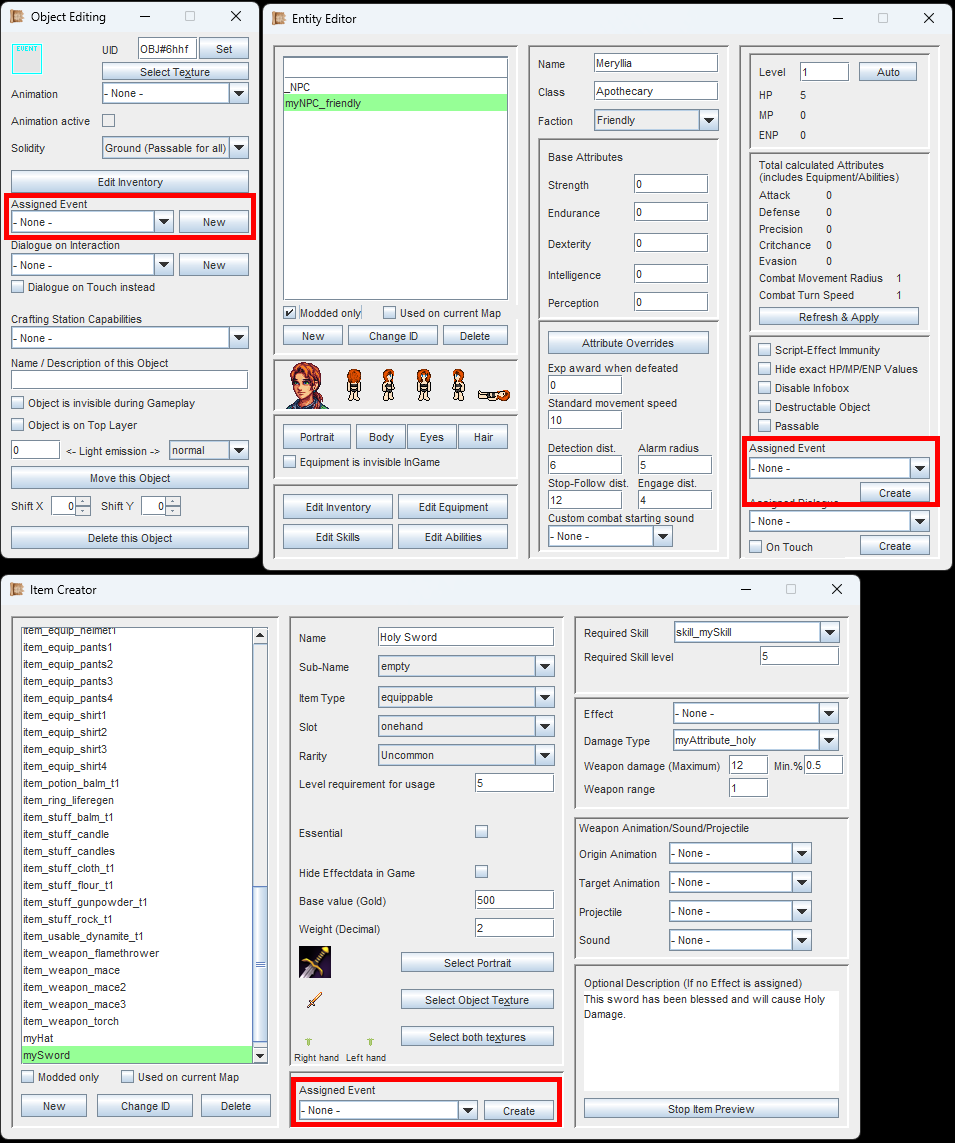
In many windows you will find the possibility to attach an Event.
Events are Scripts. They consist of building blocks called 'EventBits', which are executed one-by-one.
Adventures of Conquest requires no programming knowledge, because instead of typing out your scripts like with a coding language, you simply construct your Events with these 'building blocks'.
Events can be attached to a lot of things, such as Objects, Entities or Items. Each Event can have one or multiple Triggers. Example: A Trigger when an Item is picked up, or a Trigger when an Item is used. And they can each do all kinds of amazing things!
To create an Event, you can either click on the 'New/Create'-Buttons as shown in the image to the left, or you click on the 'Event Builder'-Button in the Editor Menu.
The Event Creator
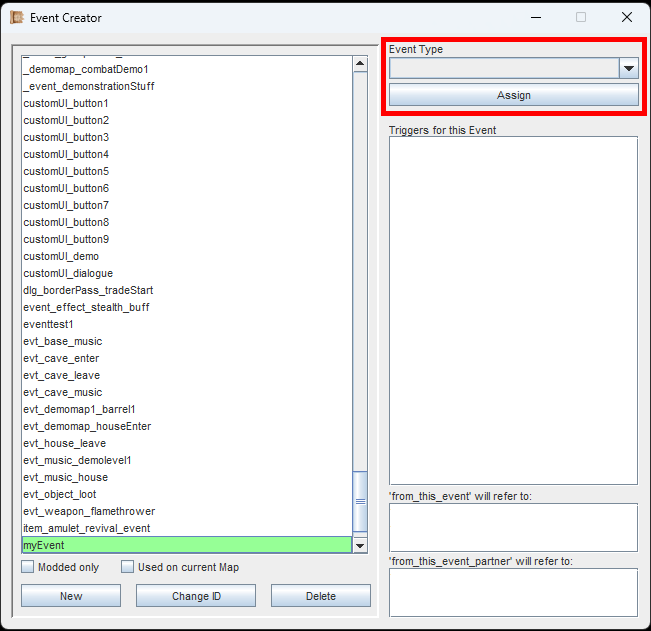
Select your Event Type and assign it.
Once you are in the Event Creator, create an Event via the 'New'-Button and give it a unique ID.
Next, you have to select the 'Event Type'. This determines what you can attach the Event to.
ability
Events of this type can be assigned to an Ability in the Ability Creator.
dialogueOption
Events of this type can be assigned to a Dialogue Option in the Dialogue Creator.
dialogueContinue
Events of this type can be assigned to a Dialogue Part in the Dialogue Creator.
effect
Events of this type can be assigned to an Effect in the Effect Creator.
entity
Events of this type can be assigned to an Entity in the Entity Creator.
item
Events of this type can be assigned to an Item in the
Item Creator.
object
Events of this type can be assigned to an Object in the
Map Editor.
skill
Events of this type can be assigned to a Skill in the
Skill Creator.
projectile
Events of this type can be assigned to a Projectile in the
Projectile Creator.
none
Events of this type cannot be assigned to anything. Instead, they can be called by other Events.
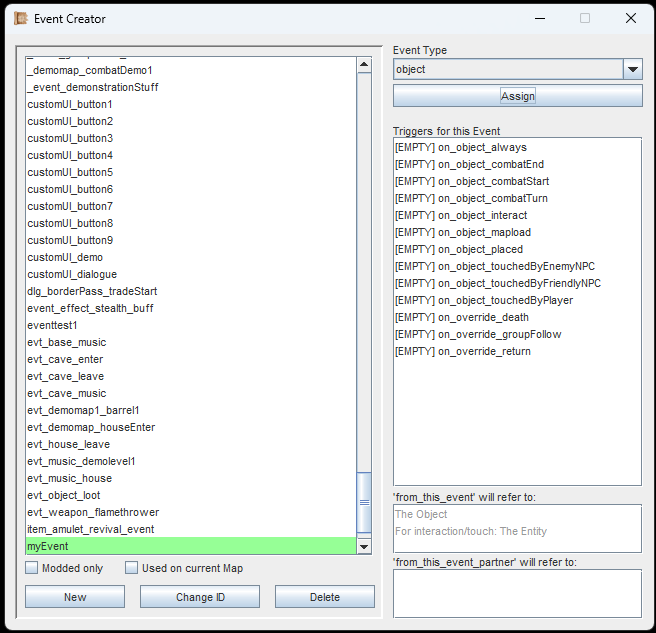
All possible Triggers for your selected Event Type are displayed after you clicked 'Assign'.
In the example image on the left, we have selected the Event Type 'object'. So, this Event can only be attached to an Object (which we can place/edit in the Map Editor).
After clicking the 'Assign'-Button, we will see a list of all possible Triggers for this Event. Each Event Type has its own set of Triggers.
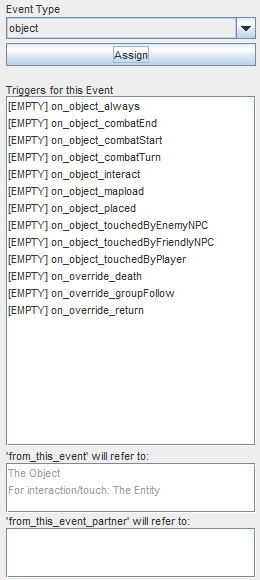
Hover over the list of triggers in the Editor for more info.
Each Trigger contains its own set of 'building blocks' (the EventBits).
At first, you will see the [EMPTY]-prefix for all of them.
An Example:
The Trigger 'on_object_interact' is triggered when the player interacts with the object (clicking it or pressing the interaction key). This could add an Item to the player's inventory.
The Trigger 'on_object_touchedByPlayer' is triggered when the player touches the object (walking against it, or over it). This could play out a dialogue like 'We cannot go this way'.
All of these Triggers can be filled at the same time.
They work independently from each other.
At the bottom-right of the window you will also see two boxes with 'from_this_event' and 'from_this_event_partner'. We will learn about what these mean on the page for EventBits.

When testing out how Events work for the first time, I recommend using the Event Type 'object' and the 'on_object_interact' trigger.
Click on any trigger and the EventBit-Creator will open. In here you are able to construct/edit everything that is going to happen if this exact trigger of this very Event is executed.
List of all Event-Triggers
This is a list of all Event-Triggers that currently exist in the Editor. When hovering them in the Editor, you get a detailed explanation of what they do and sometimes also examples on how they could be used. On this page, I will only give a very short explanation of each one though.
Items
on_item_equip
Triggers when the Item is equipped.
on_item_unequip
Triggers when the Item is unequipped.
on_item_use
Triggers when the Item is used (usables or consumables).
on_item_attack
Triggers when the Item is used to attack (equipped weapons).
on_item_buy
Triggers when the Item is bought.
on_item_sell
Triggers when the Item is sold.
on_item_drop
Triggers when the Item is dropped to the map.
on_item_pickup
Triggers when the Item is picked up from the map.
on_item_craft
Triggers when the Item is crafted.
on_item_playerLeavingMap
Triggers once when leaving the current Map, while the player has at least 1 of this item in their inventory. Also once for each player character who have at least 1 of it equipped.
Objects
on_object_touchedByPlayer
Triggers when the Object is touched by a player character.
on_object_touchedByEnemyNPC
Triggers when the Object is touched by a hostile NPC.
on_object_touchedByFriendlyNPC
Triggers when the Object is touched by a friendly NPC.
on_object_interact
Triggers when the player left-clicks the Object or presses the interaction key.
on_object_placed
Triggers when the Object is -dynamically- placed onto the map.
on_object_always
Triggers every frame. (Can use a 'Wait'-EventBit to extend the interval).
on_object_mapload
Triggers when the player enters the Map with this Object.
on_object_playerLeavingMap
Triggers when the player leaves the current Map with this Object.
on_object_combatStart
Triggers when Combat starts on the Map with this Object.
on_object_combatTurn
Triggers when a Combat turn starts on the Map with this Object.
on_object_combatEnd
Triggers when Combat ends on the Map with this Object.
on_override_death
Triggers when all the player characters are defeated, and overrides the default Event for this.
on_override_return
Triggers when the player teleports to their base, and overrides the default Event for this.
on_override_groupFollow
Triggers when the player switches the Group-Following Mode (Follow, Don't Follow), and overrides the default Event for this.
Entities
on_entity_touchedByPlayer
Triggers when the Entity is touched by a player character.
on_entity_touchedByEnemyNPC
Triggers when the Entity is touched by a hostile NPC.
on_entity_touchedByFriendlyNPC
Triggers when the Entity is touched by a friendly NPC.
on_entity_interact
Triggers when the player left-clicks the Entity or presses the interaction key.
on_entity_placed
Triggers when the Entity is -dynamically- placed onto the map.
on_entity_always_outOfCombat
Triggers every frame while out of Combat. (Can use a 'Wait'-EventBit to extend the interval).
on_entity_always_inCombat
Triggers every frame while in Combat. (Can use a 'Wait'-EventBit to extend the interval).
on_entity_always
Triggers every frame. (Can use a 'Wait'-EventBit to extend the interval).
on_entity_combat_start
Triggers when Combat is started.
on_entity_combat_flee
Triggers when the player flees Combat succesfully.
on_entity_combat_flee_failed
Triggers when the player fails to flee from Combat.
on_entity_death
Triggers when the Entity reaches 0 HP.
on_entity_playerLeavingMap
Triggers when the player is leaving the Map that this Entity is on.
DialogueOption
on_dialogueOption
Triggers when the Dialogue Option is selected.
DialogueContinue
on_dialogueNext
Triggers when the Dialogue Part is over. (Player pressed the Interaction-key to continue).
Effects
on_effect_start
Triggers when the Effect is applied.
on_effect_tick
Triggers when the Effect executes, except for the initial hit.
on_effect_end
Triggers when the Effect ends naturally.
on_effect_remove
Triggers when the Effect is removed via an EventBit (not ending naturally).
on_effect_miss
Triggers when the Effect missed the target.
on_effect_critical
Triggers when the Effect went critical.
on_effect_outofreach
Triggers when the Effect fails for the target being too far away.
on_effect_entityCombatTurn
Triggers when the Entity, who is holding the Effect (buff/debuff), starts their Combat Turn.
on_effect_playerLeavingMap
Triggers for each player character who is holding the Effect when the player leaves the current Map.
Skills
on_skill_learn
Triggers when the Skill is learned by a player character.
Abilities
on_ability_learn
Triggers when the Ability is learned by a player character.
on_ability_use
Triggers when the Ability is used by a player character.
on_ability_playerLeavingMap
Triggers for each player character who knows the Ability when the player leaves the current Map.
Projectiles
on_projectile_hit
Triggers when the Projectile hits the target.
None
on_call
Can only be triggered by the EventBit 'Event_Call'.
If you are following the Guide, continue with EventBits.